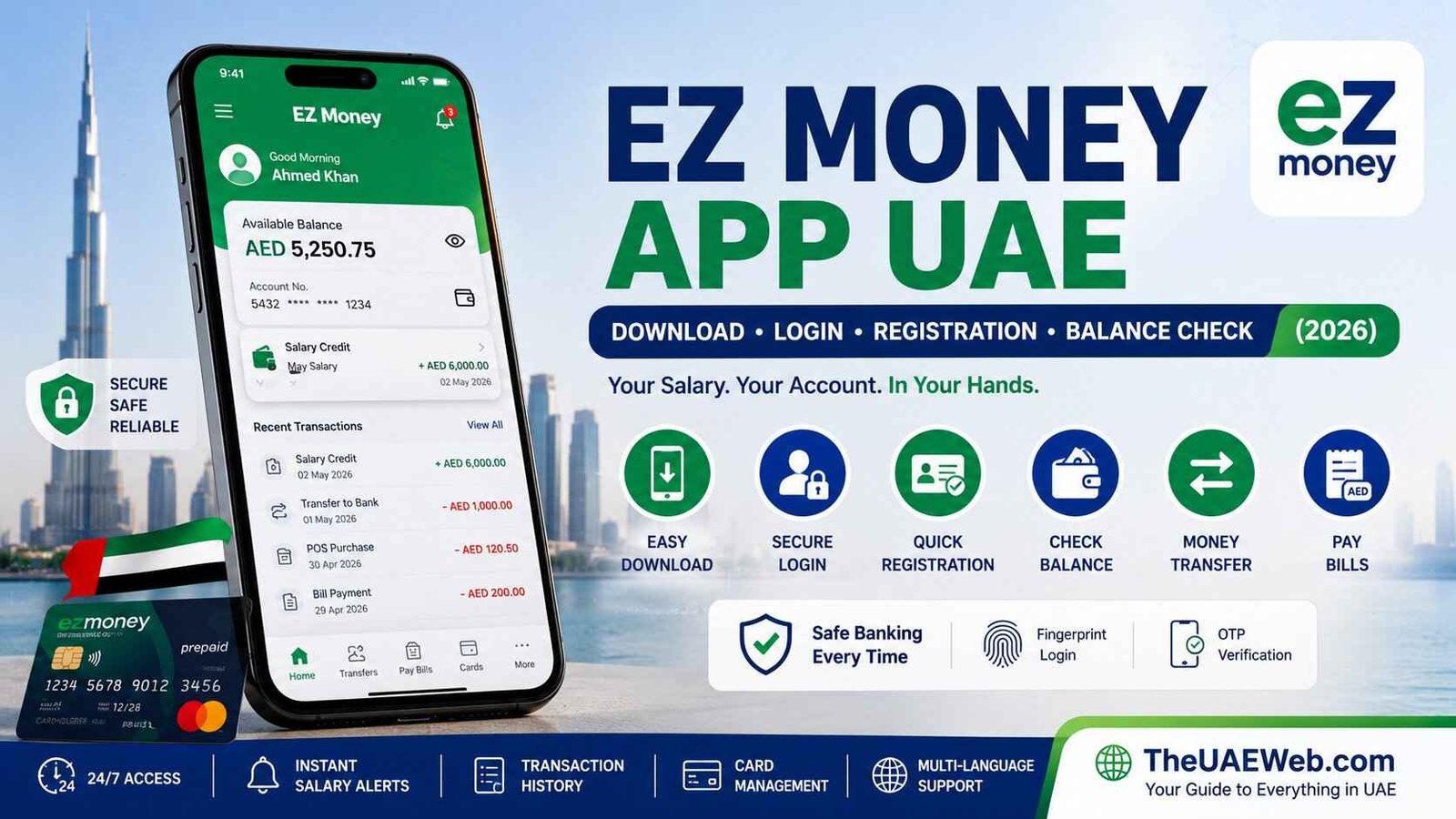
EZ Money App UAE – Download, Login, Registration & Complete Guide (2026)
Managing your salary, checking your available balance, and making digital transactions has become much easier with mobile banking apps. If you have an EZ Money salary card or payroll account, the EZ Money App UAE gives you quick access to your finances anytime and anywhere without visiting a bank branch or ATM.
Whether you want to check your salary after payday, transfer money, view recent transactions, manage your prepaid card, or update your account details, the app provides a secure and convenient way to handle everyday banking needs directly from your smartphone.
Many employees across the UAE receive their salaries through payroll and prepaid card solutions. Instead of waiting in queues or calling customer support, the EZ Money App allows users to access important account information within seconds.
In this guide, you’ll learn everything about the EZ Money App UAE, including how to download it, register your account, log in securely, check your balance, transfer money, troubleshoot common problems, and keep your account safe.
Official EZ Money App Download
Download the app only from official app stores to protect your account and personal information.
Android (Google Play): Official EZ Money App
iPhone (Apple App Store): Official EZ Money App
Safety Tip: Never download the EZ Money App from third-party websites or unofficial APK download pages. Installing apps from unknown sources could expose your personal and financial information to security risks.
What Is EZ Money App UAE?
The EZ Money App is a digital financial management application designed for payroll and prepaid card users in the UAE. It allows customers to access their salary accounts directly from their mobile devices without needing to visit a physical branch.
After registering your account, you can perform many everyday banking tasks through a secure and user-friendly interface.
Depending on your account type and employer’s payroll service, available features may include:
- Balance enquiry
- Salary history
- Transaction history
- Money transfers
- Card management
- Bill payments
- Profile updates
- Security settings
- Account notifications
The app is available 24 hours a day, making it convenient for employees working different shifts across the UAE.
Key Features of EZ Money App UAE
The application offers a wide range of services designed to simplify daily financial management.
Some of its most useful features include:
- Instant balance checking
- View salary deposits
- Secure login
- Real-time transaction history
- Money transfers
- Card management
- Change PIN (where supported)
- Receive payment notifications
- View account details
- Manage profile settings
- Secure authentication
- Multi-device accessibility
Because everything is available digitally, users can complete most banking tasks without visiting an ATM or customer service center.
How to Download EZ Money App UAE
Downloading the application only takes a few minutes.
Step 1: Open Your App Store
Android users should open Google Play Store.
iPhone users should open the Apple App Store.
Step 2: Search for EZ Money App
Type:
EZ Money App UAE
or simply
EZ Money
Always verify that you’re downloading the official application published by the authorized provider.
Step 3: Install the App
Tap Install or Get.
The app will automatically download and install on your device.
Step 4: Open the Application
Once installation finishes, tap Open to launch the app.
You’re now ready to register or log in.
How to Register for EZ Money App
First-time users need to create an online account before accessing the services.
Registration usually takes only a few minutes.
Step 1: Open the App
Launch the EZ Money App on your smartphone.
Step 2: Select Register
Tap Register or Create New Account.
Step 3: Enter Your Details
You may be asked to provide:
- Mobile number
- Emirates ID (where required)
- Salary card number
- Date of birth
- Registered email address
Step 4: Verify Your Identity
An OTP (One-Time Password) is sent to your registered mobile number.
Enter the OTP exactly as received.
Step 5: Create Login Credentials
Choose:
- Username
- Secure password
Make sure your password includes uppercase letters, lowercase letters, numbers, and symbols for better security.
Step 6: Registration Complete
Once verification is successful, your EZ Money account becomes active and ready to use.
You can immediately log in and start managing your account online.
How to Log In to the EZ Money App UAE
Once you’ve completed the registration process, logging in only takes a few seconds.
Step 1: Open the EZ Money App
Launch the official EZ Money App on your Android or iPhone.
Step 2: Enter Your Username or Registered Mobile Number
Type the mobile number or username you used during registration.
Step 3: Enter Your Password
Carefully enter your password.
Double-check for typing mistakes before continuing.
Step 4: Complete Verification (If Required)
Some devices or new logins may require an OTP verification.
Enter the OTP sent to your registered mobile number.
Step 5: Access Your Dashboard
After successful verification, you’ll reach your account dashboard where you can access all available banking services.
EZ Money App Login Not Working?
Sometimes users experience login issues. Most problems can be resolved within a few minutes.
Incorrect Username or Password
Ensure you’re entering the correct login credentials.
If you’ve forgotten your password, use the Forgot Password option.
Poor Internet Connection
Switch between Wi-Fi and mobile data to check if your internet connection is causing the issue.
App Needs Updating
Older app versions may stop working correctly.
Visit Google Play Store or Apple App Store and install the latest version.
Temporary Server Maintenance
Banks occasionally perform scheduled maintenance.
Wait a few minutes before trying again.
Account Locked
Multiple failed login attempts may temporarily lock your account.
If this happens, contact EZ Money customer support for assistance.
How to Check Your Balance Using the EZ Money App
One of the most popular features is instant balance enquiry.
Instead of visiting an ATM, users can check their salary balance directly from the app.
Steps to Check Balance
- Open the EZ Money App.
- Log in securely.
- Go to the Dashboard.
- Select Account or Balance.
- Your available balance appears instantly.
- You can also view your latest salary credit and recent transactions.
Most balance updates appear immediately after your employer processes your salary.
View Salary History and Transactions
The app also lets you review previous transactions without requesting a printed statement.
You can usually view:
- Salary credits
- Cash withdrawals
- POS purchases
- Online payments
- Money transfers
- Refunds
- Service charges
Many users rely on this feature to verify salary payments or monitor monthly spending.
Transfer Money Using EZ Money App
Depending on your account type, the EZ Money App may allow money transfers to other accounts.
Typical transfer services include:
- Local bank transfers
- Wallet transfers
- Salary account transfers
- Beneficiary payments
How to Transfer Money
- Log in to the app.
- Select Transfer Money.
- Choose or add a beneficiary.
- Enter the transfer amount.
- Review the transaction details.
- Confirm using OTP.
- Receive confirmation once the transfer is successful.
Always verify the recipient’s account details before confirming the payment.
Manage Your Card Through the App
The EZ Money App provides several self-service card management features.
Depending on your account, you may be able to:
- View card details
- Activate a new card
- Temporarily block your card
- Report a lost card
- Request card replacement
- Change card PIN
- Enable or disable online transactions
- View card status
Managing your card digitally saves time and reduces the need to contact customer support.
How to Reset Your EZ Money App Password
If you’ve forgotten your password, you can reset it directly from the login screen.
Steps to Reset Password
- Open the EZ Money App.
- Tap Forgot Password.
- Enter your registered mobile number.
- Complete OTP verification.
- Create a new password.
- Confirm the new password.
- Log in using your updated credentials.
Choose a unique password that you don’t use for other online accounts.
EZ Money App Review
The EZ Money App is designed primarily for payroll and prepaid card users who want quick access to their salary accounts without visiting a branch.
What We Like
- Simple and easy-to-use interface
- Quick balance enquiry
- Secure OTP verification
- Available 24/7
- Instant salary notifications
- Convenient transaction history
- Card management features
- Supports everyday banking needs
Things That Could Be Better
- Some services depend on your employer or payroll provider.
- Occasional maintenance may temporarily affect app access.
- Certain advanced banking features may not be available for all users.
Overall, the EZ Money App offers a practical solution for employees who want fast and secure access to their payroll accounts on their smartphones.
Is the EZ Money App Safe to Use?
Yes, the EZ Money App UAE includes multiple security features to help protect your account and personal information. Like other digital banking apps, it uses encrypted connections and identity verification to secure your transactions.
Some of the built-in security features include:
- Secure user login
- OTP (One-Time Password) verification
- Encrypted communication
- Password protection
- Account authentication
- Secure transaction confirmations
However, your account security also depends on how you use the app. Following basic online banking safety practices can significantly reduce the risk of fraud.
Safety Tips for EZ Money App Users
Keeping your account secure is just as important as using the app correctly.
Follow these important tips whenever you access your account:
- Download the app only from the official Google Play Store or Apple App Store.
- Never share your password or OTP with anyone.
- Avoid logging in while connected to public Wi-Fi.
- Keep your phone’s operating system updated.
- Enable screen lock or biometric authentication on your device.
- Always log out if using someone else’s device.
- Check your transaction history regularly for unusual activity.
- Contact customer support immediately if your phone or salary card is lost.
Important: EZ Money representatives will never ask for your password, ATM PIN, CVV, or One-Time Password (OTP). If you receive a call, SMS, email, or WhatsApp message requesting this information, treat it as a scam and report it immediately.
EZ Money App Customer Support
If you experience login issues, payment failures, or account-related problems, contact the official EZ Money customer support team through the channels provided by your card issuer or employer.
Customer support can typically assist with:
- Registration issues
- Login problems
- Password reset
- Account verification
- Salary enquiries
- Card activation
- Lost or blocked cards
- Failed transactions
- Technical support
Before contacting support, keep your registered mobile number and card details (excluding your PIN and CVV) available for faster verification.
Who Should Use the EZ Money App?
The EZ Money App is suitable for anyone who wants convenient access to their payroll or prepaid card account without visiting a bank or ATM.
It is especially useful for:
- Employees receiving salaries through payroll cards
- UAE residents using prepaid salary cards
- Users who frequently check their account balance
- Customers who prefer mobile banking
- Individuals who want instant salary notifications
- Users looking for secure digital account management
Whether you’re at home, at work, or travelling within the UAE, the app helps you manage your account from your smartphone.
Frequently Asked Questions
What is the EZ Money App UAE?
The EZ Money App is a mobile application that allows eligible users to manage their payroll or prepaid card accounts. Depending on your account type, you can check your balance, view salary credits, review transaction history, transfer funds, and manage your card.
How do I download the EZ Money App?
Download the app only from the official Google Play Store for Android devices or the Apple App Store for iPhones. Avoid downloading APK files from unofficial websites.
How do I register for the EZ Money App?
Open the app, tap Register, enter your registered mobile number and required account details, verify your identity using the OTP sent to your phone, and create a secure password.
How do I log in to the EZ Money App?
Launch the app, enter your registered username or mobile number, type your password, complete OTP verification if requested, and access your dashboard.
How can I check my salary balance?
After logging in, open the dashboard and select Balance or Account Summary. Your available balance and recent salary deposits will appear instantly.
Why is the EZ Money App not working today?
The app may not work due to internet connectivity issues, scheduled maintenance, server updates, outdated app versions, or incorrect login credentials. Updating the app and checking your network connection usually resolves most issues.
Can I transfer money using the EZ Money App?
Depending on your account type and available services, you may be able to transfer funds, add beneficiaries, and make secure payments directly through the application.
Is the EZ Money App available for iPhone?
Yes. The EZ Money App is available for both Android and iPhone users through their respective official app stores.
Can I use the EZ Money App outside the UAE?
In most cases, yes. As long as you have an internet connection and can complete any required OTP verification, you can access your account while travelling. Some features may vary depending on your account and security settings.
How do I reset my EZ Money App password?
Tap Forgot Password on the login screen, verify your identity using the OTP sent to your registered mobile number, then create a new secure password.
Final Thoughts
The EZ Money App UAE makes everyday financial management easier for payroll and prepaid card users by bringing essential banking services to your smartphone. From checking your salary balance and viewing transaction history to managing your card and making secure transfers, the app helps users stay connected to their finances anytime and anywhere.
By downloading the official app, keeping your login credentials secure, and following safe online banking practices, you can confidently manage your account with ease. At TheUAEWeb.com, we recommend using only official download sources and regularly updating the app to ensure you have access to the latest features and security improvements.