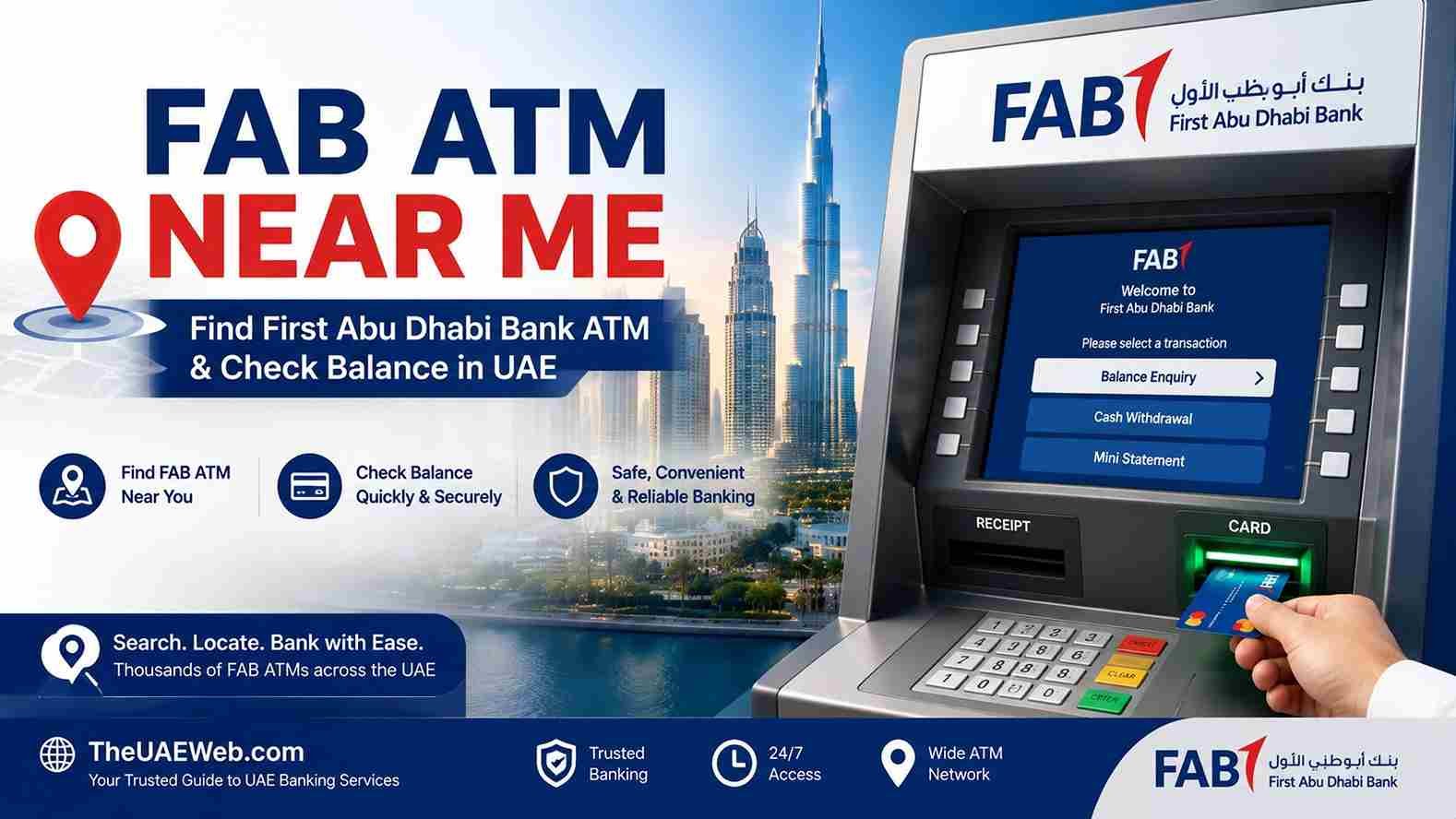
FAB ATM Near Me – Find First Abu Dhabi Bank ATM & Check Balance in UAE
Finding a FAB ATM near me is usually straightforward, but the important part is knowing which ATM offers the service you actually need. First Abu Dhabi Bank (FAB) operates ATMs across Abu Dhabi, Dubai, Sharjah, Al Ain, Ras Al Khaimah, Fujairah, Ajman, Umm Al Quwain, and other locations in the UAE.
Whether you need to withdraw cash, check your balance, deposit cash, change your PIN, or access another ATM service, FAB provides an official Branch and ATM Locator that lets you search for nearby machines and filter available facilities.
If your main goal is a FAB ATM balance check, you also have a faster option. FAB Mobile and FAB Internet Banking allow customers to view their account balance and transaction history without travelling to an ATM. FAB confirms that account and card balances can be managed through its digital banking services.
Official FAB Branch & ATM Locator: Find a FAB ATM Near You
How to Find a FAB ATM Near Me
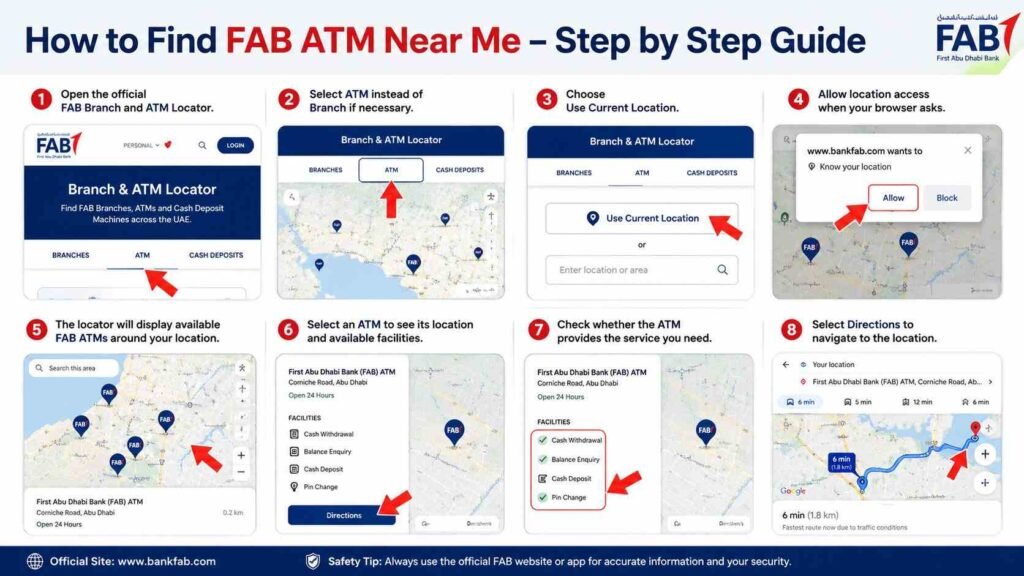
The easiest way to find the nearest First Abu Dhabi Bank ATM is through the official FAB Branch and ATM Locator.
Steps to Find a FAB ATM
- Open the official FAB Branch and ATM Locator.
- Select ATM instead of Branch if necessary.
- Choose Use Current Location.
- Allow location access when your browser asks.
- The locator will display available FAB ATMs around your location.
- Select an ATM to see its location and available facilities.
- Check whether the ATM provides the service you need.
- Select Directions to navigate to the location.
The official locator includes filters for Branches, ATM, and Cash Deposits, making it more useful than simply searching for a bank on a map.
Official FAB ATM Locator: First Abu Dhabi Bank Branch & ATM Locator
FAB ATM Near Me in Abu Dhabi
FAB has a large ATM network across Abu Dhabi. The official locator currently lists locations including Abu Dhabi Bus Station, Abu Dhabi Chamber of Commerce and Industry, Aaliyah Plaza Hypermarket, Galleria Mall, Al Raha Shopping Center, Corniche, Dalma Mall, Mushrif Mall, Yas Mall, Zayed International Airport, and many other locations.
Some locations are shown as available 24/7, while others follow the opening hours of the building, branch, mall, or facility where the ATM is located.
This is important if you are searching for a FAB ATM near me at night. An ATM located inside a shopping centre or branch may not be accessible when that facility is closed, while some standalone or externally accessible ATMs are available around the clock.
FAB ATM Near Me in Dubai
FAB also has ATMs throughout Dubai.
The official locator lists locations such as:
- Abu Baker Al Siddique Branch
- Al Khawaneej
- Bur Dubai
- Dubai Mall
- Mall of the Emirates
- Mirdif City Center
- Al Nukhba Business Centre
- Sheikh Zayed Road
- Dubai Municipality – Al Fahidi Souk
- Several supermarket and commercial locations
The number of ATMs at a location can also vary. For example, the official FAB locator identifies some locations with multiple ATMs, such as Dubai Mall and Mall of the Emirates.
When searching for a FAB ATM near me in Dubai, always check the current locator rather than relying on an old address from another website.
FAB ATM Near Me in Other Emirates
FAB’s ATM network is not limited to Abu Dhabi and Dubai.
The official locator also lists ATM locations in:
- Sharjah
- Ajman
- Al Ain
- Fujairah
- Ras Al Khaimah
- Umm Al Quwain
- Al Dhafra Region
- Other UAE locations
Because ATM availability and facilities can change, searching the official locator using your current location is the safest approach.
FAB ATM Balance Check
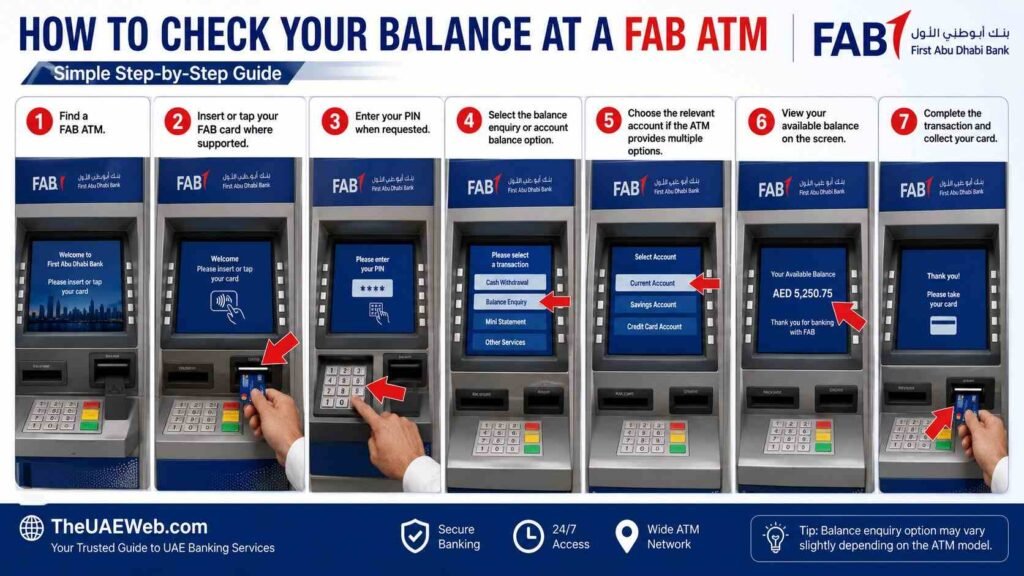
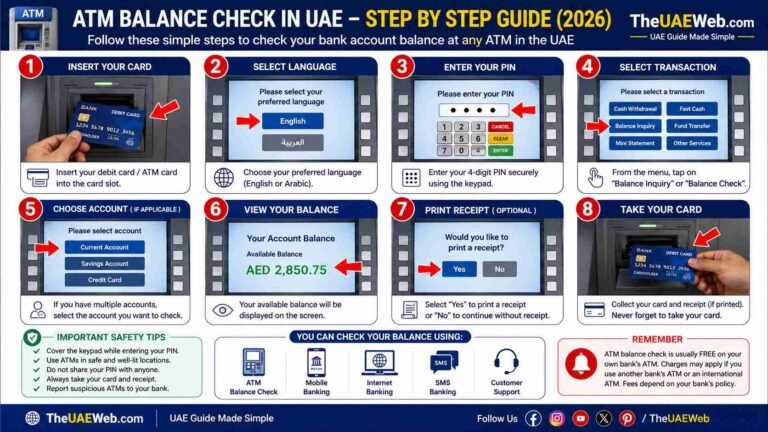
If you need a FAB ATM balance check, you may be able to check your available account balance directly through a FAB ATM using your eligible FAB card.
The general process is:
- Find a FAB ATM.
- Insert or tap your FAB card where supported.
- Enter your PIN when requested.
- Select the balance enquiry or account balance option.
- Choose the relevant account if the ATM provides multiple options.
- View your available balance on the screen.
- Complete the transaction and collect your card.
The exact menu wording can vary depending on the ATM and card type.
Important Point About FAB ATM Balance Checks
You do not necessarily need to visit an ATM simply to check your balance.
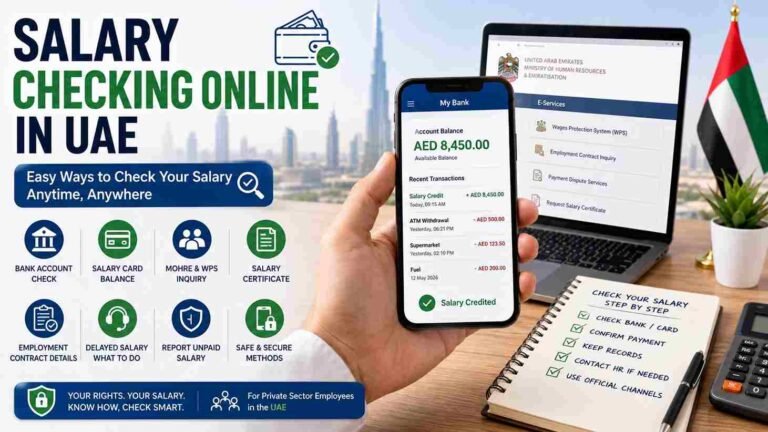
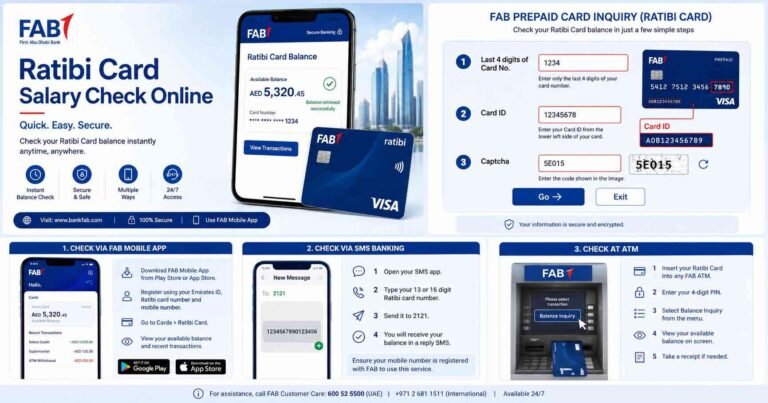
FAB’s official digital banking services allow customers to view account balances and transaction history through FAB Mobile and FAB Internet Banking. FAB’s current service-status page lists viewing account balance and transaction history as available through both mobile and internet banking.
FAB Balance Check Using FAB Mobile
For most customers, FAB Mobile is the more convenient option for a balance enquiry.
Steps
- Open the official FAB Mobile app.
- Log in securely.
- Open your account or card dashboard.
- View your current balance.
- Open transaction history if you need to check recent payments or deposits.
FAB states that its mobile application allows customers to check balances, send money, make payments, manage accounts and cards, and access other banking services.
This means you can complete a FAB balance check from home, work, while travelling, or anywhere with a suitable internet connection.
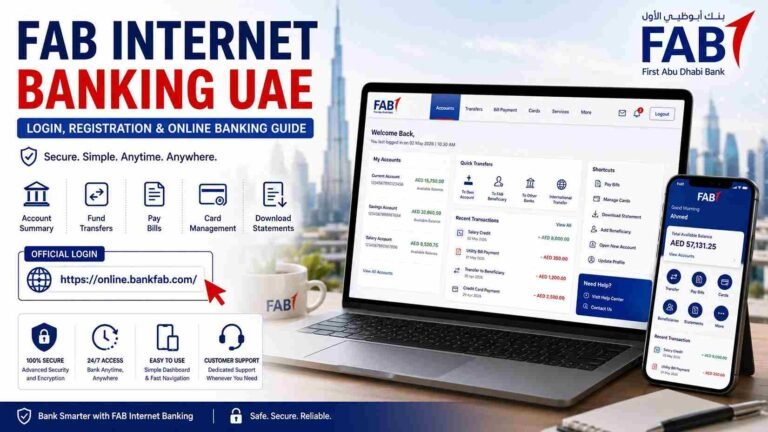
FAB Balance Check Through Internet Banking
You can also use FAB Internet Banking if you prefer accessing your account from a computer.
The current FAB service-status information lists:
- Account balance viewing
- Transaction history
- Credit card balance and transactions
- Payments
- Statements
- Transfers
- Other banking services
as available through Internet Banking, subject to the service status and your account eligibility.
This is useful when you need to review your balance and transaction history on a larger screen.
FAB ATM Cash Deposit Near Me
If you are searching for a FAB ATM near me that accepts cash deposits, do not assume that every FAB ATM provides this service.
The official FAB locator specifically includes Cash Deposits as a separate search option.
How to Find a FAB Cash Deposit ATM
- Open the official FAB Branch and ATM Locator.
- Select the cash-deposit option.
- Enter your location or use current location.
- Review the available locations.
- Select an ATM.
- Check the listed facilities before travelling.
- Use the directions option to reach the ATM.
This can save you a wasted trip to an ATM that only provides standard cash withdrawal services.
FAB ATM Services
Depending on the specific ATM, FAB machines can provide different services.
Possible facilities may include:
- Cash withdrawal
- Balance enquiry
- Cash deposit
- PIN-related services
- Other card services
- Account-related transactions
The exact services depend on the ATM location and machine configuration.
For this reason, always check the individual ATM listing in the official locator if you need a specific facility.
FAB ATM Open 24 Hours
Some FAB ATMs are listed by FAB as Open 24/7.
Examples in the official locator include certain ATMs at:
- Abu Dhabi Bus Station
- Aaliyah Plaza Hypermarket
- Abu Dhabi Chamber of Commerce and Industry
- Al Raha Shopping Center
- Zayed International Airport
- Dubai Municipality – Al Fahidi Souk
- Various other locations
However, not every ATM is available 24 hours. Some are inside branches, malls, offices, hotels, or other buildings with their own access hours.
If you need an ATM late at night, check the opening status shown in the official FAB locator before travelling.
FAB ATM for Cash Withdrawal
If you only need to withdraw cash, you can search for the nearest FAB ATM using your current location.
Before travelling, check:
- ATM location
- Opening hours
- Available facilities
- Whether it is inside a building
- Whether the location provides the service you require
Your card’s daily withdrawal limit may also depend on your specific FAB card and account.
For example, FAB’s published personal account information shows different daily ATM withdrawal limits for different debit-card categories, so you should check the terms applicable to your own card rather than assuming one universal limit.
FAB ATM Balance Check Without Visiting an ATM
If your only purpose is checking your balance, using the FAB Mobile app is generally more convenient.
You can check:
- Current account balance
- Card information
- Recent transactions
- Payments
- Transfers
- Other account information
FAB describes its mobile banking service as a way to manage everyday banking from anywhere and at any time.
This is particularly useful when you are searching for FAB ATM near me balance check because you may not actually need to travel to an ATM.
FAB Credit Card Balance Check
FAB customers with credit cards can also use digital banking to review their card information.
FAB’s current Internet Banking service-status page lists view credit card balance and transaction as an available service.
For a credit card balance check:
- Log in to FAB Mobile or Internet Banking.
- Select your credit card.
- Review the outstanding balance.
- Check recent transactions.
- Review your payment information if required.
The exact information shown can depend on the card and banking platform.
What to Do If You Cannot Find a FAB ATM
If your map search does not show a suitable ATM, use the official FAB locator instead of relying only on a general search engine.
The official locator allows you to search the FAB network and use current location.
You can also try:
- Searching a nearby mall
- Checking major transport locations
- Searching near FAB branches
- Looking for cash-deposit-enabled ATMs
- Checking airport locations
- Searching commercial areas
FAB’s locator is updated to show its current ATM network, making it the preferred source for finding an active location.
FAB ATM Safety Tips
When using a FAB ATM, protect your card and PIN.
Never:
- Share your ATM PIN
- Give your card to another person
- Tell anyone your OTP
- Allow strangers to perform a transaction for you
- Follow instructions from suspicious callers
- Enter banking information on an unofficial website
Before inserting your card, check the ATM for anything unusual or suspicious.
If an ATM appears damaged or tampered with, use another machine and contact FAB through its official channels.
FAB also warns customers about fraudulent investment opportunities promoted through social media and third-party advertisements. Always verify financial information through FAB’s official communication channels.
Official FAB ATM Locator
If you are specifically searching for FAB ATM near me, the official FAB locator is the most useful option because it lets you search by location and identify available ATM facilities.
You can use the locator to search for:
- FAB ATMs
- FAB branches
- Cash deposit locations
- Nearby facilities
- Directions
Official FAB Branch & ATM Locator: Find a FAB ATM Near You
Frequently Asked Questions
How can I find a FAB ATM near me?
Open the official FAB Branch and ATM Locator, select ATM, and use the Use Current Location option. You can then select a location and use directions to navigate there.
How do I check my FAB balance?
You can check your balance through a FAB ATM, FAB Mobile, or FAB Internet Banking. FAB’s digital banking services provide account balance and transaction information.
Can I check my FAB balance without going to an ATM?
Yes. FAB Mobile and FAB Internet Banking allow eligible customers to view account balances and transaction history without visiting an ATM.
Can I find a FAB cash deposit ATM near me?
Yes. FAB’s official locator includes a dedicated Cash Deposits option so you can search for locations that provide cash-deposit facilities.
Are FAB ATMs open 24 hours?
Some are. The official locator identifies certain locations as Open 24/7, while other ATMs follow the access hours of their surrounding location.
Can I use FAB Mobile outside the UAE?
Yes. FAB states that customers can log in and access their accounts and cards outside the UAE when they have Wi-Fi or suitable roaming data.
What should I do if my FAB ATM card does not work?
Check whether the card is activated, confirm that you are entering the correct PIN, and try another FAB ATM if necessary. If the issue continues, contact FAB through its official support channels rather than giving your card or PIN information to another person.
Final Thoughts
Searching for a FAB ATM near me does not have to be difficult. The official First Abu Dhabi Bank locator lets you find ATMs using your current location and check whether a particular location offers services such as cash deposits.
If your goal is simply a FAB ATM balance check, you may not need to visit an ATM at all. FAB Mobile and Internet Banking provide convenient ways to check your account balance and transaction history from your phone or computer.
For cash withdrawals, deposits, or other ATM services, check the official locator before travelling so you can choose a location that actually provides the facility you need.
For more UAE banking guides, balance-check methods, ATM locations, and practical financial information, continue exploring TheUAEWeb.com.