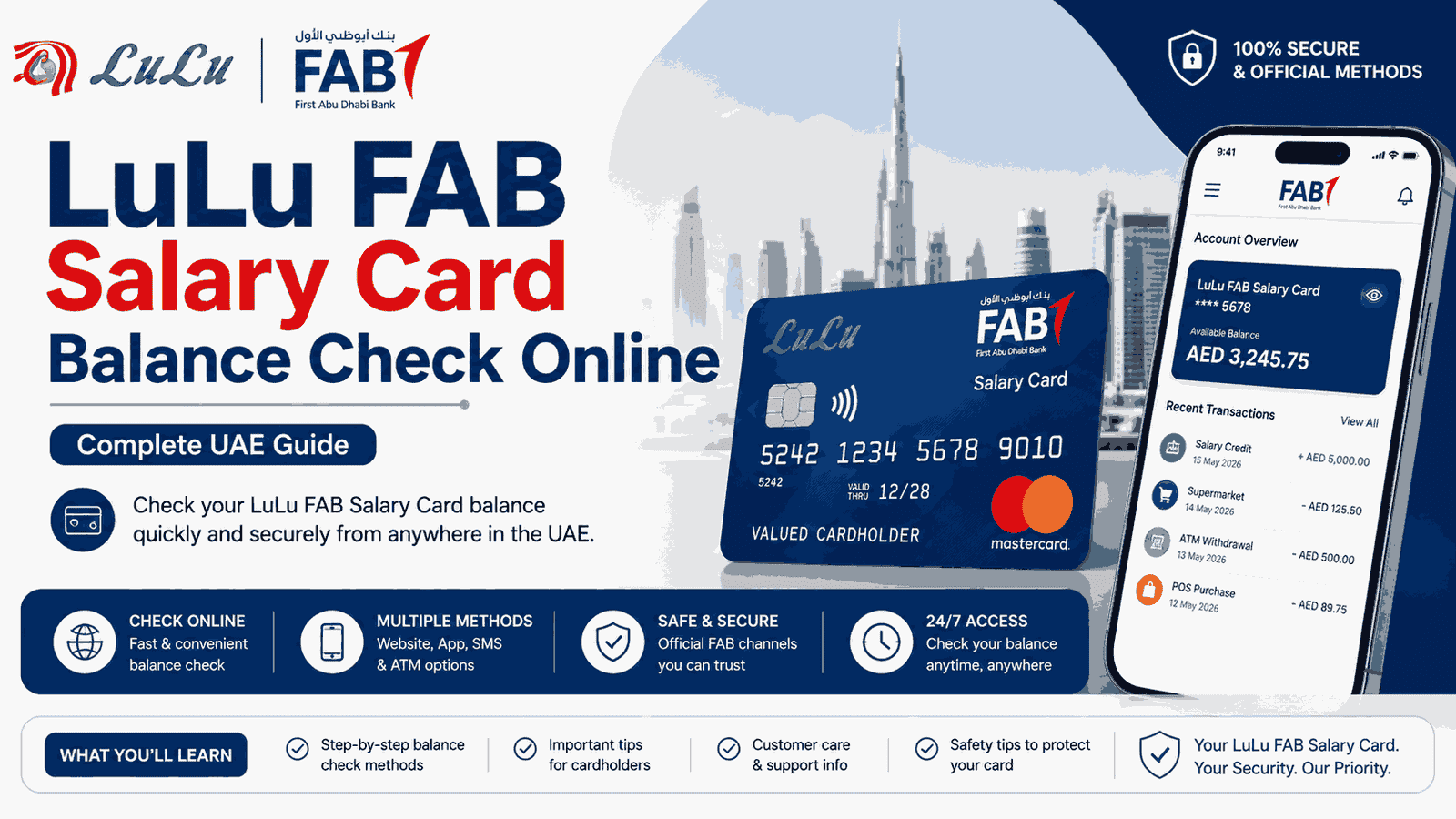
LuLu FAB Salary Card Balance Check Online – Complete UAE Guide
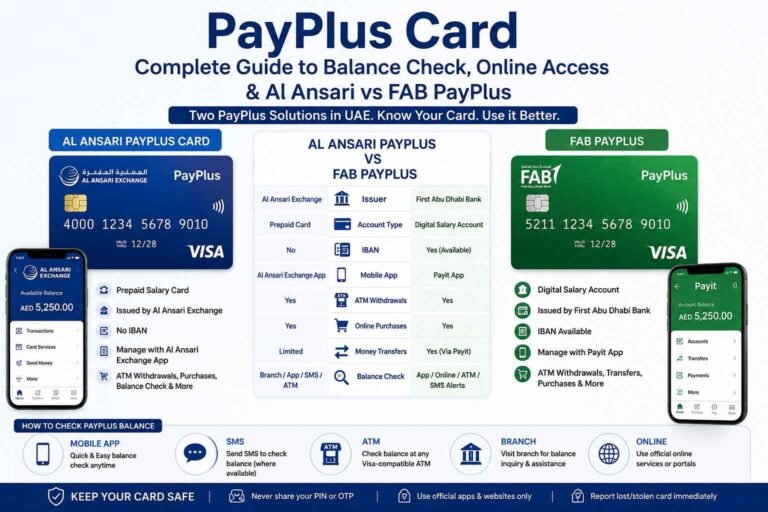
Checking your salary-card balance online can save you a trip to an ATM or exchange branch, especially when your salary has just been credited. But the term LuLu FAB Salary Card can be confusing because LuLu Exchange and FAB are involved in different salary and prepaid-card solutions in the UAE.
If you are searching for LuLu FAB salary card balance check online, LuLu salary card balance check, FAB salary card balance check, or FAB prepaid card balance enquiry, the first step is to identify which card you actually have.
Safety Note: Use only the official FAB or LuLu Exchange websites and official apps for balance enquiries. Never give your card PIN, OTP, password or full card details to anyone through WhatsApp, social media, phone calls or unofficial websites.
Official FAB Prepaid Card Balance Enquiry: FAB Prepaid Card Enquiry
Official LuLu Exchange Salary Services: LuLu Exchange Wage & Salary Administration
What Is a LuLu FAB Salary Card?
The phrase LuLu FAB salary card is commonly used when people search for a UAE salary card connected with LuLu Exchange, FAB, WPS or prepaid-card services.
However, there is not one universal card officially called the “LuLu FAB Salary Card.”
LuLu Exchange currently offers wage and salary solutions, including the LuLu Money Salary Card. FAB separately provides prepaid and salary-card products, including the Ratibi Prepaid Card. LuLu Exchange has also worked with FAB and Magnati on salary-payment solutions.
That distinction matters because the correct balance-check method depends on the card issuer and card type.
LuLu Salary Card Balance Check Online
If your salary card is the LuLu Money Salary Card, LuLu Exchange says the card can be managed through the LuLu Money App.
According to LuLu Exchange, the app allows eligible salary-card users to:
- Check transaction history
- Manage the account
- Set usage limits
- Reset the PIN
- Block or replace the card
- Monitor card activity
The LuLu Money Salary Card also supports cash withdrawals through LuLu Exchange branches and specified UAE ATMs.
How to Check LuLu Money Salary Card Details Online
The general process is:
- Download or open the official LuLu Money App.
- Sign in using your registered account details.
- Open the relevant salary-card or account section.
- Review your available account information and recent transactions.
- Check the latest salary credit or card transaction.
- Use the transaction-history section if you want to confirm a previous payment.
The exact screens can change when LuLu Exchange updates its application, so use the latest version of the official app.
Official LuLu Money App Information
FAB Salary Card Balance Check Online
If your card is a FAB-issued prepaid or salary card, the balance-check process can be different.
FAB provides an online Prepaid Card Balance Enquiry facility for eligible prepaid cards. FAB’s official prepaid-card pages direct customers to the online balance-enquiry service.
The online enquiry page asks for information including:
- The last four digits of the card number
- Card ID
- CAPTCHA verification
After entering the requested information, you can submit the enquiry to check the available card information.
This is particularly important for people searching for FAB prepaid card balance check online.
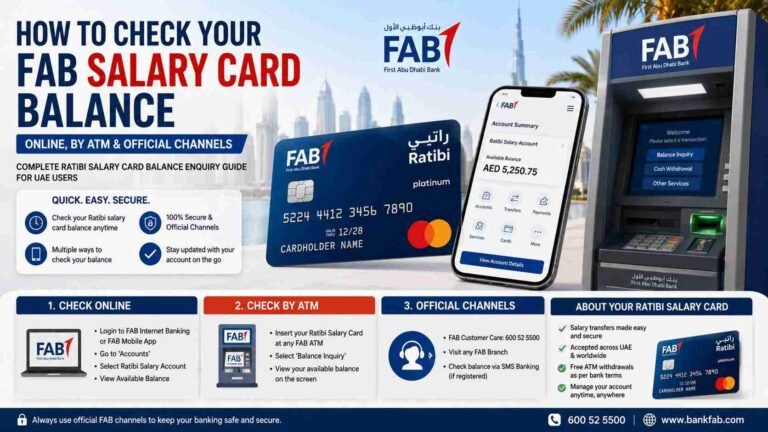
FAB Ratibi Salary Card Balance Check
Another important FAB salary-card product is the Ratibi Prepaid Card.
FAB describes Ratibi as a prepaid card for salary payments and provides a dedicated Ratibi Prepaid Card Balance Enquiry option for existing cardholders. FAB also states that Ratibi customers have access to 24/7 customer support.
If your card says Ratibi, do not assume that the LuLu Money balance-check method applies to your card.
Instead, use the official FAB Ratibi balance-enquiry service.
How to Check FAB Prepaid Card Balance Online
For an eligible FAB prepaid card, the online process is straightforward.
- Open the official FAB prepaid-card enquiry page.
- Enter the last four digits of your card number.
- Enter your Card ID.
- Complete the CAPTCHA.
- Select the option to submit the enquiry.
- Review the balance information displayed by the service.
The official FAB/Magnati enquiry page specifically provides fields for the last four card digits, Card ID and CAPTCHA.
Do not enter your card information on websites that are not part of the official FAB or authorized card-service ecosystem.
Can I Check My Salary Balance Through an ATM?
Yes, depending on the specific card and the services enabled on it.
A salary or prepaid card can generally be used at supported ATMs for balance enquiries, but the exact availability depends on the card program.
For example, FAB’s Ratibi card is designed for ATM use, while LuLu Exchange states that its LuLu Money Salary Card supports cash withdrawal through LuLu Exchange branches and selected UAE ATMs, including Emirates NBD, Emirates Islamic Bank and Mashreq Bank ATMs.
If the online balance service is temporarily unavailable, an eligible ATM can be a practical alternative.
How to Check LuLu Salary Card Balance Through the App
If you have a LuLu Money Salary Card, the LuLu Money App is the most relevant digital service to check your account activity.
LuLu Exchange states that salary-card users can use the app to check transaction history and manage their card.
A typical process is:
- Open the LuLu Money App.
- Log in to your account.
- Select the salary-card/account section.
- Review recent transactions.
- Confirm your latest salary credit.
- Check your available funds before making a payment or withdrawal.
If you cannot see the salary-card information, make sure you are using the account associated with the registered mobile number and the correct LuLu Money service.
How to Know Which Salary Card You Have
This is the most important step if you are unsure whether you have a LuLu salary card, FAB salary card, Ratibi card or another WPS card.
Look at the physical card and identify:
- The card name
- Issuing bank or financial institution
- Card network
- Customer-service details
- Logo displayed on the card
- Any reference to Ratibi, LuLu Money, MyPay or another salary-card program
If the card says Ratibi, FAB is the relevant banking provider.
If it is identified as a LuLu Money Salary Card, LuLu Exchange’s salary-card service and LuLu Money App are more relevant.
This simple check can prevent you from using the wrong online balance-enquiry page.
LuLu Money Salary Card
LuLu Exchange’s current wage and salary administration service includes the LuLu Money Salary Card.
LuLu Exchange says the card provides features including contactless payments and account-management functions through the LuLu Money App. Users can check transaction history, set usage limits, reset the PIN, and block or replace the card through the app.
The card can also be used for cash withdrawals through LuLu Exchange branches and selected UAE ATMs.
For employees receiving wages through this type of salary arrangement, the app can therefore be useful for monitoring salary credits and card transactions.
FAB Ratibi Prepaid Card
The FAB Ratibi Prepaid Card is another UAE salary-payment option.
FAB states that Ratibi cards can be used at ATMs, in stores and online, and that cardholders receive SMS alerts for salary credits. FAB also provides an online balance-enquiry service for existing Ratibi cardholders.
This makes Ratibi particularly relevant when someone searches for:
FAB salary card balance check
FAB Ratibi balance check
FAB prepaid salary card balance
Ratibi salary balance check online
The correct service is the official FAB Ratibi/prepaid-card enquiry system rather than the LuLu Money App.
What If My Salary Has Been Credited but the Balance Is Not Updated?
Sometimes an employee may receive a salary notification but not immediately see the expected amount available on the card.
Before contacting support, check:
- Whether the salary-credit notification was received.
- Whether the transaction appears in the card’s recent activity.
- Whether the available balance differs from the credited amount because of previous transactions.
- Whether the employer has completed the salary-payment process.
- Whether the card is active.
- Whether the online service or app is experiencing a temporary issue.
If the salary still does not appear correctly, contact the card provider or the employer’s payroll department.
Do not repeatedly enter card information into unofficial balance-check websites.
Why Is My Salary Card Balance Different From My Salary?
Your salary amount and available card balance are not necessarily the same thing.
For example, if AED 2,500 was credited to your salary card and you previously spent AED 300, the available balance may be approximately AED 2,200, depending on other transactions or holds.
The best way to understand the difference is to review the recent transaction history.
For LuLu Money Salary Card users, LuLu Exchange specifically states that transaction history can be checked through the LuLu Money App.
For FAB prepaid-card users, the applicable FAB balance-enquiry service can be used to check the card balance.
LuLu FAB Salary Card Balance Check Without Internet
If you do not have internet access, an ATM may be the simplest option when balance enquiry is supported by your card.
You can:
- Find a supported ATM.
- Insert your salary or prepaid card.
- Enter your PIN.
- Select the balance enquiry option.
- Review the displayed balance.
- Complete the transaction and collect your card.
The available ATM services depend on the card program.
For LuLu Money Salary Card customers, LuLu Exchange identifies cash withdrawal support at its branches and selected UAE ATMs.
Can I Check My Salary Card Balance on the FAB Website?
For eligible FAB prepaid cards, FAB provides an online prepaid-card balance-enquiry facility.
However, you should first confirm that your card is actually a FAB prepaid product.
FAB’s official prepaid-card information specifically links customers to its online balance-enquiry service.
If your card is a LuLu Money Salary Card, use the LuLu Money service instead.
Can I Check LuLu Salary Card Balance on the FAB Website?
Not necessarily.
The card issuer and salary-card program determine which balance service you should use.
A LuLu Money Salary Card should be managed through the relevant LuLu Money/LuLu Exchange service, while a FAB prepaid or Ratibi card should be checked through the applicable FAB service.
This is why searching only for LuLu FAB salary card balance check online can lead to confusion.
FAB Customer Support for Card Enquiries
FAB provides customer-support channels for its banking and card services.
Its current official contact page lists:
FAB Service UAE: 600 52 5500
International: +971 2 6811511
FAB also provides separate contact details for specialized services.
When contacting FAB about a salary or prepaid card, keep your card available so you can provide the information requested by the bank.
Never provide your PIN or OTP to a caller claiming to be from the bank.
LuLu Exchange Salary Service Support
For LuLu Exchange salary-card questions, use the official LuLu Exchange customer-support channels rather than unofficial websites.
LuLu Exchange provides dedicated wage and salary administration services and publishes its official contact information through its website.
If your issue concerns a salary payment itself, you may also need to speak with your employer’s payroll or HR department because the employer initiates the salary payment.
What Should I Do If My Card Is Lost?
If your salary card is lost or stolen, act quickly.
Do not wait until the next salary payment.
Contact the card provider using its official support channel and ask for the card to be blocked.
For LuLu Money Salary Card users, LuLu Exchange states that the LuLu Money App can be used to block and replace the card.
For other FAB prepaid cards, use the official FAB support channel applicable to your card.
Important Salary Card Security Tips
Salary cards contain money and should be treated like other payment cards.
Follow these basic precautions:
- Never share your PIN.
- Never share an OTP.
- Do not send your card photo to strangers.
- Do not give your Card ID to unofficial websites.
- Avoid clicking balance-check links received from unknown numbers.
- Use official apps downloaded from legitimate app stores.
- Check transaction history regularly.
- Report suspicious transactions immediately.
- Block a lost card as soon as possible.
A website claiming to offer a “fast salary balance check” is not automatically an official service.
LuLu FAB Salary Card Balance Check Online – Quick Comparison
| Card or service | Recommended balance method |
|---|---|
| LuLu Money Salary Card | LuLu Money App / applicable card service |
| FAB Ratibi Prepaid Card | Official FAB Ratibi balance enquiry |
| Eligible FAB prepaid card | FAB/Magnati prepaid-card enquiry |
| Other salary cards | Use the card issuer’s official service |
LuLu Exchange confirms app-based account and transaction-history features for its LuLu Money Salary Card, while FAB provides dedicated online balance-enquiry facilities for its prepaid and Ratibi cards.
Frequently Asked Questions
How can I check my LuLu FAB salary card balance online?
First identify the card. If it is a LuLu Money Salary Card, use the LuLu Money App and review the relevant account and transaction information. If it is a FAB prepaid or Ratibi card, use the official FAB prepaid-card balance-enquiry service.
What is the official FAB salary card balance check website?
FAB provides an online prepaid-card balance-enquiry service through its authorized card-service portal. The enquiry page asks for the last four digits of the card number, Card ID and CAPTCHA.
Can I check my LuLu Money Salary Card balance online?
LuLu Exchange confirms that the LuLu Money App allows salary-card users to check transaction history and manage their card.
Is LuLu Money Salary Card the same as FAB Ratibi?
No. They are different salary-card services. LuLu Exchange provides the LuLu Money Salary Card, while FAB provides the Ratibi Prepaid Card.
Can I check my FAB Ratibi balance online?
Yes. FAB provides a dedicated Ratibi Prepaid Card Balance Enquiry service for existing cardholders.
Can I check my salary card balance at an ATM?
Depending on your card, yes. Supported salary and prepaid cards can provide ATM balance enquiry or related services. Always use an ATM supported by your specific card program.
What should I do if my salary is not showing?
Check the transaction history and salary-credit notification first. If the payment remains missing, contact your employer’s payroll department and the card provider.
What should I do if my LuLu salary card is lost?
Block the card immediately. LuLu Exchange states that its LuLu Money App provides a facility to block and replace the LuLu Money Salary Card.
Is there a separate LuLu FAB salary card balance-check code?
Do not rely on an unofficial USSD or SMS code unless the card issuer currently confirms it. The safest approach is to use the official LuLu Money or FAB balance-enquiry service applicable to your card.
Final Thoughts
The search term LuLu FAB salary card balance check online covers several different UAE salary-card services, so identifying the card first is essential.
For a LuLu Money Salary Card, the LuLu Money App provides important account-management and transaction-history features. For a FAB Ratibi or eligible FAB prepaid card, FAB provides an official online balance-enquiry facility.
If you are unsure which service applies to your card, check the name and issuer printed on the card before entering any information online. This simple step can help you avoid using the wrong balance-check service or falling for an unofficial website.
For more practical UAE guides covering salary cards, banking, government services, technology and everyday services, TheUAEWeb.com aims to keep information simple, useful and focused on what residents actually need.